Color
The color classes provide access to the standard 16 terminal colors and their combinations. You use them throughout the library to style terminal output, buffer cells, and text elements.
The following table shows the available foreground and background colors, as well as all combinations of them:
              Foregrounds                             Backgrounds               |
 black               bright_black        black               bright_black       |
 red                 bright_red          red                 bright_red         |
 green               bright_green        green               bright_green       |
 yellow              bright_yellow       yellow              bright_yellow      |
 blue                bright_blue         blue                bright_blue        |
 magenta             bright_magenta      magenta             bright_magenta     |
 cyan                bright_cyan         cyan                bright_cyan        |
 white               bright_white        white               bright_white       |


  0    1    2    3    4    5    6    7    8    9   10   11   12   13   14   15  |
 16   17   18   19   20   21   22   23   24   25   26   27   28   29   30   31  |
 32   33   34   35   36   37   38   39   40   41   42   43   44   45   46   47  |
 48   49   50   51   52   53   54   55   56   57   58   59   60   61   62   63  |
 64   65   66   67   68   69   70   71   72   73   74   75   76   77   78   79  |
 80   81   82   83   84   85   86   87   88   89   90   91   92   93   94   95  |
 96   97   98   99   100  101  102  103  104  105  106  107  108  109  110  111 |
 112  113  114  115  116  117  118  119  120  121  122  123  124  125  126  127 |
 128  129  130  131  132  133  134  135  136  137  138  139  140  141  142  143 |
 144  145  146  147  148  149  150  151  152  153  154  155  156  157  158  159 |
 160  161  162  163  164  165  166  167  168  169  170  171  172  173  174  175 |
 176  177  178  179  180  181  182  183  184  185  186  187  188  189  190  191 |
 192  193  194  195  196  197  198  199  200  201  202  203  204  205  206  207 |
 208  209  210  211  212  213  214  215  216  217  218  219  220  221  222  223 |
 224  225  226  227  228  229  230  231  232  233  234  235  236  237  238  239 |
 240  241  242  243  244  245  246  247  248  249  250  251  252  253  254  255 |
Usage
Applying Colors Directly
Use Foreground, Background, and Color to apply explicit styling to terminal output or buffer cells.
auto accent = Color{fg::BrightCyan, bg::Black};
auto warning = accent.overlayWith(Color{fg::BrightYellow, bg::Red});

terminal.printLine(accent, "Normal status");
terminal.printLine(warning, "Escalated status");
In this example, overlayWith() combines two colors.
This lets you derive variations from an existing style while keeping unchanged parts intact.
Use Default when you want to reset a foreground or background to the terminal’s default color.
Use Inherited when a layer should keep the color from what is already rendered below—for example when composing
buffer cells or applying partial styling.
Serializing Palette Values
For configuration files or theme definitions, foreground colors, background colors, complete colors, block attributes, and block styles have the same conversion API.
ColorBase::Value is the shared enum behind foreground and background colors.
Use toString() for a canonical representation, fromString() with a fallback for untrusted optional input, or
fromStringOrThrow() when invalid configuration must be reported.
const auto foreground = Foreground::fromStringOrThrow("Bright Cyan");
const auto accent = Color::fromStringOrThrow("bright_cyan:black");
const auto fallback = Color{fg::White, bg::Black};
const auto optionalColor = Color::fromString(userText, fallback);

terminal.printLine(accent, "Configured from text");
Color identifiers use the names from the built-in color table.
They accept ASCII case differences and spaces inside an identifier, while canonical output uses lowercase letters and
underscores.
default is the terminal default color, while inherited preserves a lower layer.
reset is not a color identifier.
The supported formats are:
Foreground or Background:  color
Color:                     foreground[:background]
BlockAttributes:           attribute[,attribute...]
BlockStyle:                foreground[:background[:attributes]]
An attribute without a prefix is enabled.
The optional + prefix also enables it, while - explicitly disables it.
Unmentioned attributes remain inherited, and the standalone value inherited represents an entirely inherited
attribute set.
inherited cannot be combined with other attributes, and duplicate attributes are invalid.
const auto emphasis = BlockAttributes::fromStringOrThrow("bold,-italic");
const auto style = BlockStyle::fromStringOrThrow("bright_white:blue:bold,-italic");

assert(emphasis.toString() == "bold,-italic");
assert(style.toString() == "bright_white:blue:bold,-italic");
Spaces may occur inside an identifier such as Bright White, but whitespace around :, , or at the beginning
or end of a field is invalid.
This keeps serialized values unambiguous and directly usable in ELCL configuration.
Building Animated Palettes
ColorSequence represents an ordered list of colors.
You can use it to build gradients, rotating palettes, or animated visual effects.
auto titleColors = ColorSequence{
    Color{fg::BrightBlue, bg::Black},
    Color{fg::BrightCyan, bg::Black},
    Color{fg::BrightMagenta, bg::Black},
    Color{fg::BrightYellow, bg::Black},
};

auto currentColor = titleColors.colorNormalized(0.35);
terminal.printLine(currentColor, "Animated headline");
colorNormalized() selects a color based on a normalized position in the range 0.0 to 1.0.
This makes it straightforward to drive color changes using animation cycles, time values, or progress indicators.
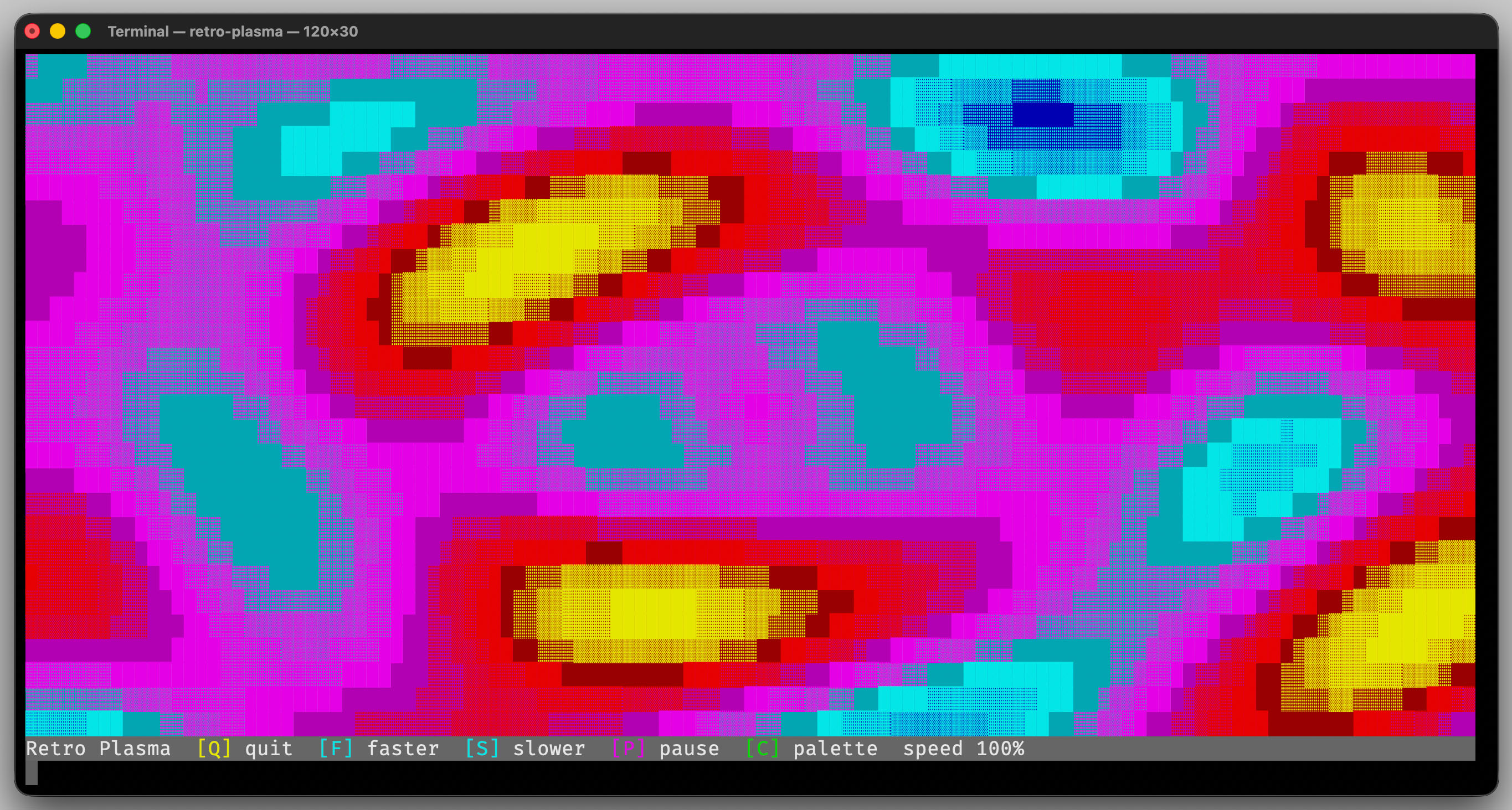
The retro-plasma demo uses ColorSequence to switch between
multiple animated palettes.